Monday, August 20, 2012

Kojo Couture Fashion Shoot with Brittney pt I


One of our most recent studio shoots featured designs by Koa Johnson and makeup by Ry-n Shimabuku.  Our model was Brittney Baker and we were assisted by Ronald who also took the time out to take some behind the scenes shots which I always forget to do.  Thanks Ronald!


Our first setup was a white backdrop.  We used 2 AB800s with white shoot thru umbrellas to light the background to 1 stop over the main light. 2 V-flats were used to block the background lights from flaring into the camera lens.


For our main light we used an AB800 in a Paul Buff PLM.  I haven't used the PLM as much as I'd like to since I bought last year.  The main reason for that is because assembling the shaft and speedring of the PLM can take a while.  Plus the whole thing is so freakin' HUGE that I'm thinking I could probably experiment with using the silver interior as a background for a future model shoot.


Setting for all the shots is the same - Canon 5D mk II 70-200mm 2.8L IS II lens, iso 100 1/160@ f5.6.


While Brittney changed into her next look, we took a few shots of her friend Zach, an aspiring male model.

The first few shots against the white background didn't work too well, because we started losing his sleeves to the white backdrop. We turned off the two background lights and lit him solely with the PLM.  The focused nature of the PLM gave us a nice gradient on the background and a vignette around Zach which worked much better with his shirt.


Brittney's next look was in a long red dress. For the first shot we had her get into a reclining pose, spread the dress out around her and shot her from an elevated viewpoint.


The main light was an AB800 in a large soft box. Another AB 800 with a strip soft box was used as a hair light.


The red dress was so visually striking that Brittney and Ry-n named this shot "The Miscarriage".


We then had Brittney get into a seated pose facing the back wall.  We cross lit her with 2 AB 800s in small strip soft boxes to make the folds of the dress really stand out.
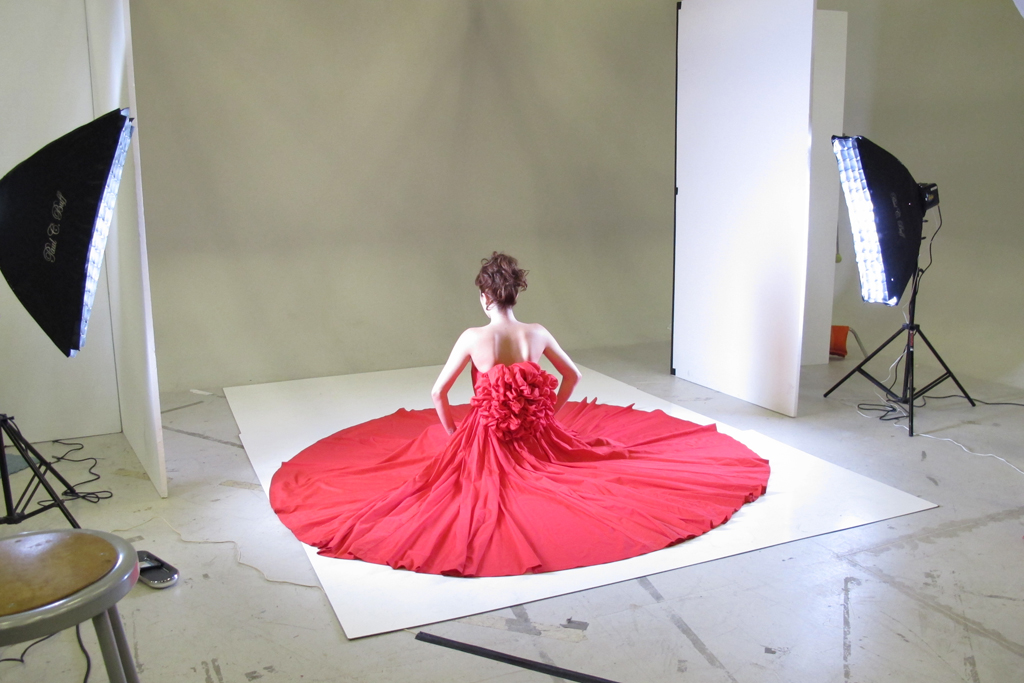

We used grids in the strip soft boxes and also repositioned the V-flats to block the lights from hitting the background which allowed the white wall to go dark.


More to come . . .

Thursday, July 26, 2012

Organizing your memory cards


When using multiple memory cards on a photoshoot, its a good idea to have a system in place to keep track of used and unused cards so that you don't wind up accidentally erasing images.

We've standardized on using SanDisk Extreme Compact Flash and SDHC cards. For stills we use 8GB cards and for video we use 16GB and 32GB cards.

Using a Brother P-touch labeler, each card is labeled on one side alphabetically with the capacity of the card.


Cards are normally stored in a Think Tank Pixel Pocket Rocket. We also use the Gepe Card Safe Extreme when shooting near water or in a location with lots of sand/wind/dust.


All the cards are checked and formatted in-camera before every shoot and are stored in the memory card holder with the P-touch label facing out.  This lets us know at a glance that these cards are blank and what the capacity of each card is.


During the shoot, the cards are used in alphabetical order. When a card is filled up, it is put back into the cardholder with the P-touch label side facing down.  By organizing the cards in this manner, we know which card to use next and which cards are already used.


Setting up and implementing an easy to use system to help you keep track of your memory cards will greatly reduce the chances of making a mistake during a photoshoot.


Friday, June 29, 2012

Retrofitting the Think Tank Retrospective 30


Since I am both a photographer and a videographer, I use different camera bag setups depending on the occasion and the gear that I need to bring. 


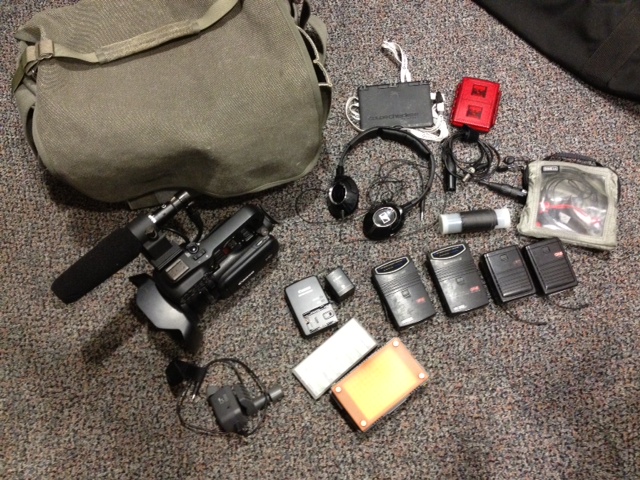
The Think Tank Retrospective 30 which I've reviewed before on this blog, is one of my favorite camera bags. While I mainly use this bag for photography, I recently came across a way to make it more suitable to carry a loadout for a small video camera, particularly a Canon XA10.


By itself, the The Retrospective 30 is a very soft and malleable bag.  Even the dividers that come with it are thin and flexible. While that works for carrying camera lenses, the XA10 with its attached handle and shotgun microphone needs a little more padding and protection.


Like many photographers, I have several camera bags and cases that I've collected over the years. One of the advantages of this (or disadvantages, if you ask my wife), is that they come with lots of extra dividers that wind up sitting in your closet. 


Among my other camera cases is a Think Tank Airport Security 2.0 roller bag. When I bought this case, it came with an extra set of semi-rigid dividers.


I came across them this evening when my wife ordered me to clean up the mess while reorganizing the workroom, and it dawned on me that I might be able to use these semi rigid dividers to retrofit the Retrospective 30 into a video camera bag.

First I took out all the soft dividers from the bag. I attached a few of them to the bottom of the bag to make a more padded base.


I then took several long and short semi-rigid dividers from the roller bag and lined the interiors of the Retrospective 30 with them.  I doubled up on some of them to make the space more form-fitting to the XA10.


This added just a bit of sturdiness to the sides of the bag and made a space that perfectly fit the XA10 with the handle, shotgun microphone, and wide angle lens attached.


Wireless microphones and other accessories fit easily in the outer pockets.


I was also able to do the same with another bag I hadn't used in a while - the Think Tank Urban Disguise 50.  The Urban Disguise series is nice because the main compartment can be completely zipped up in a dusty environment.


It's a little more padded than the Retrospective 30 so I chose to just use 2 shorter dividers on both ends of the bag to reinforce the interior.


While these bags won't offer the same amount of protection as say, a Pelican 1510 case, they are much lighter and make for pretty nice and inconspicuous video camera bags.


Monday, June 18, 2012

Finding reflectors in the environment


When out shooting on location, it's always good to keep an eye out for things that can be used as reflectors. Whether it's the glare of a late afternoon sun reflected in a window of a nearby building or the wall of a public restroom, reflectors can be found all around in places you would not expect to see them.


Even in a parking lot. . . 


While prepping for a test shoot at Ironwood Beach in Kapalua, I noticed some trees next to an empty parking stall that would make a nice backdrop for a photo.  What made it even better was that there was a white Toyota Tacoma in the next stall which acted as a natural reflector for the late afternoon sun.

When the model Stephanie arrived, I had her stand in the empty stall and we did a few quick shots using nothing but natural light.  Since she was pretty close to the trees, I shot with the lens wide open to blur the background as much as possible. In addition, there was sunlight streaming through the branches of the trees so Stephanie had to position herself carefully so that we wouldn't get spots of bright sunlight on her face (you can see some of it on her right shoulder in this first image).


One thing to keep in mind when using reflectors in the environment is that light will take on the color of whatever it is bouncing off of.  For example, sunlight that reflects off of a tan or brown wall will cast a warmer light on your model than sunlight bounced off of a blue wall.

Wednesday, April 25, 2012

Photographing the 2012 UHMC Fashion Tech Student Showcase


I recently had the opportunity again to photograph a fashion show by the UH Maui College Fashion Tech students at the Queen Kaahumanu Shopping Center.  I photographed their show last year as well and it's always fun to experiment with lighting as well as be inspired by seeing the amazing creations these talented students produce.


This year the title of the show was "Muse{ic}" - the students designed outfits based on their choice of music genre.


Lighting-wise, the location was very challenging. The existing stage lighting only covered the center portion of the stage. The sides as well as the runway were in the dark.


A total of 3 strobes were used to supplement the existing stage lighting.  2 Nikon SB26s were set up on Manfrotto 5001B lightstands behind the speakers on the sides of the stage (circled in red below).  The third strobe was a Canon 580EX II mounted to a flash bracket on the camera.


The two Nikon strobes were triggered by Pocket Wizard Plus IIs and were set to 1/64th power to add just a touch of edge lighting to the models when they reached the corners of the stage.  The two shots below illustrate the difference the edge lighting makes.


All three strobes were gelled with CTO gels and the camera was set to Tungsten white balance to match the existing stage lighting.

With this lighting setup, everything was shot in manual mode at iso 1600, 1/200 @ f2.8 to freeze the action and blur the background. The idea was to utilize as much of the stage lighting as possible while relying on the ETTL of the 580EXII on the camera to compensate when the models reached the dark corners of the stage and also when they walked down to the red carpet.


My camera rig consisted of a Canon 5D mkII and a WFT-E4 IIA Wireless Transmitter (transmitting images to an iPad carried in a belt pouch) with a 70-200mm f2.8L IS II lens, a ReallyRightStuff L bracket, and a 580EX II flash mounted on a RRS B87-QR Portrait Package Flash Bracket.  The flash was connected via an OC-E3 Off-Camera Shoe Cord to a Pocket Wizard MiniTT1 transmitter (to trigger the 2 Nikon SB26s) on the camera's hotshoe.  A CP-E4 External Battery Pack was connected to the flash to help with the recycle times.

The entire setup ended up being a bit heavy to handhold for the duration of the show.  Great for exercise, though. Thank goodness for image stabilization.

(see "Things to remember for next year" at the end of this post)


Because the models were constantly in motion, the autofocus mode was set to Ai Servo to track them as they crossed the stage.


Looking through the 2000+ images in Lightroom after the show, the lighting setup we used seemed to hold up ok. In hindsight, it might have been nice to setup two additional strobes to crosslight the red carpet area, but being in a crowded shopping center made that impractical.  Ideally we would have had enough stage lighting available to light all the areas evenly so that we would not have needed to use flashes at all, but you work with what you have.  If any readers out there have shot fashion shows before and want to share how you did your lighting, please feel free to do so in the comments.

I posted samples of each model and outfit on a photo gallery on our facebook page.

Also made a short highlight piece for our Youtube Channel:


Things to remember for next year:

Bring a monopod.  Handholding that camera rig for a 1.5 hour long fashion show nearly killed me.  I'm not that young anymore. ;-)

More Red Bull.

Get larger cards.  Shooting in RAW, I went through 4-16GB cards in no time at all.

When shooting the models walking, try to capture them in full stride which usually results in a better looking image (either when the front foot just touches the floor or when the rear foot is just about to leave the floor)

Remember to get shots from front, back, and both sides.  Designers need to see all of the details of the outfit as much as possible.