Think Tank Photo recently released v2.0 of their popular Streetwalker series of camera backpacks and we were able to put two of them through their paces and review them for our readers - the
Streetwalker Harddrive v2.0 and the
Streetwalker Rolling Backpack v2.0.
For reference, we will be comparing them to the Streetwalker Harddrive backpack v1.
(from left to right - Streetwalker Harddrive v1.0, Streetwalker Harddrive v2.0, & Streetwalker Rolling Backpack v2.0)
We're going to skip over the usual tech specs of each backpack, as you can see all the measurements on the product pages at the Think Tank Photo website.
Size-wise, the bags are all pretty much the same. There are minor differences once you get into the bags.
The typical loadout we use in these bags when on wedding and event assignments consists of:
3 camera bodies - the Sony a7rii, Sony a7ii, and the Sony a6300 - both a7 series cameras have Sony battery grips, Peak Design Clutch handstraps and Spiderholter plates attached.
Zeiss 24-70 f4 lens
Zeiss 16-35 f4 lens
Sony 70-200 f4 G lens
Sony 85mm f1.8 G Master lens
Sony 30mm Macro lens
Sony Fisheye lens
Sony 10-18 f4 lens (mainly for the a6300)
Think Tank memory card case with 8-32GB Sandisk cards
Think Tank battery case with 4 extra batteries
2 - Yongnuo flashes and Yongnuo transmitter
MagMod Maggrips attached, with grid and gel set.
Streetwalker Harddrive v2.0
For the following images, the v1 is pictured on the left, and the v2.0 is on the right.
(v1 on the left, v2.0 on the right)
The Streetwalker series of backpacks is already one of the best camera backpacks around, so there wasn't much the people at Think Tank Photo could improve upon. Most of the changes in v2.0 are very minor compared to v1.0.
Outside the bags look very similar:
Below on the v2.0 on the right you can see where they moved the loops for the tripod attachment straps from the top of the bag to the front just above the outside pocket. This allows you to access the inside of the bag while still having the tripod attached to the outside of your backpack.
Access to the laptop/tablet section has moved from the side of the bag to the top of the backpack.
The laptop compartment is now a completely separate compartment from the main interior of the backpack and also includes a slot for an iPad.
Inside the layout is pretty much the same as the v1
If you look closely at the top section of the bag, you'll see a small change.


On the v1 where the laptop section starts, you can see a small shelf - this is was because the laptop section of the v1 was a sectioned off part of the main interior. On the right in the v2.0, since the laptop section is now completely separate from the main bag, that shelf is now gone.
Below you can see how the same camera body (Sony a7rII with battery grip and Spiderholster plate attached) looks in both bags:


As you can see, there's not much difference in depth between the two bags.


The other small change is to one of the long dividers near the bottom of the bag. They made it hinged so that you can position it over to the side to make room for another camera body with lens attached. While you could do this with the older v1 bag, it's easier to do now on the v2.0.


So you can now store both camera bodies with the lenses attached if you want.
Streetwalker Rolling Backpack v2.0
I don't recall ever seeing a v1 of the Streetwalker rolling backpack. The only rolling bags with backpack straps I've seen from Think Tank were the Airport Security v2.0 and the Airport Takeoff.
Streetwalker Rolling Backpack v2.0 compared to Airport Security v2.0:
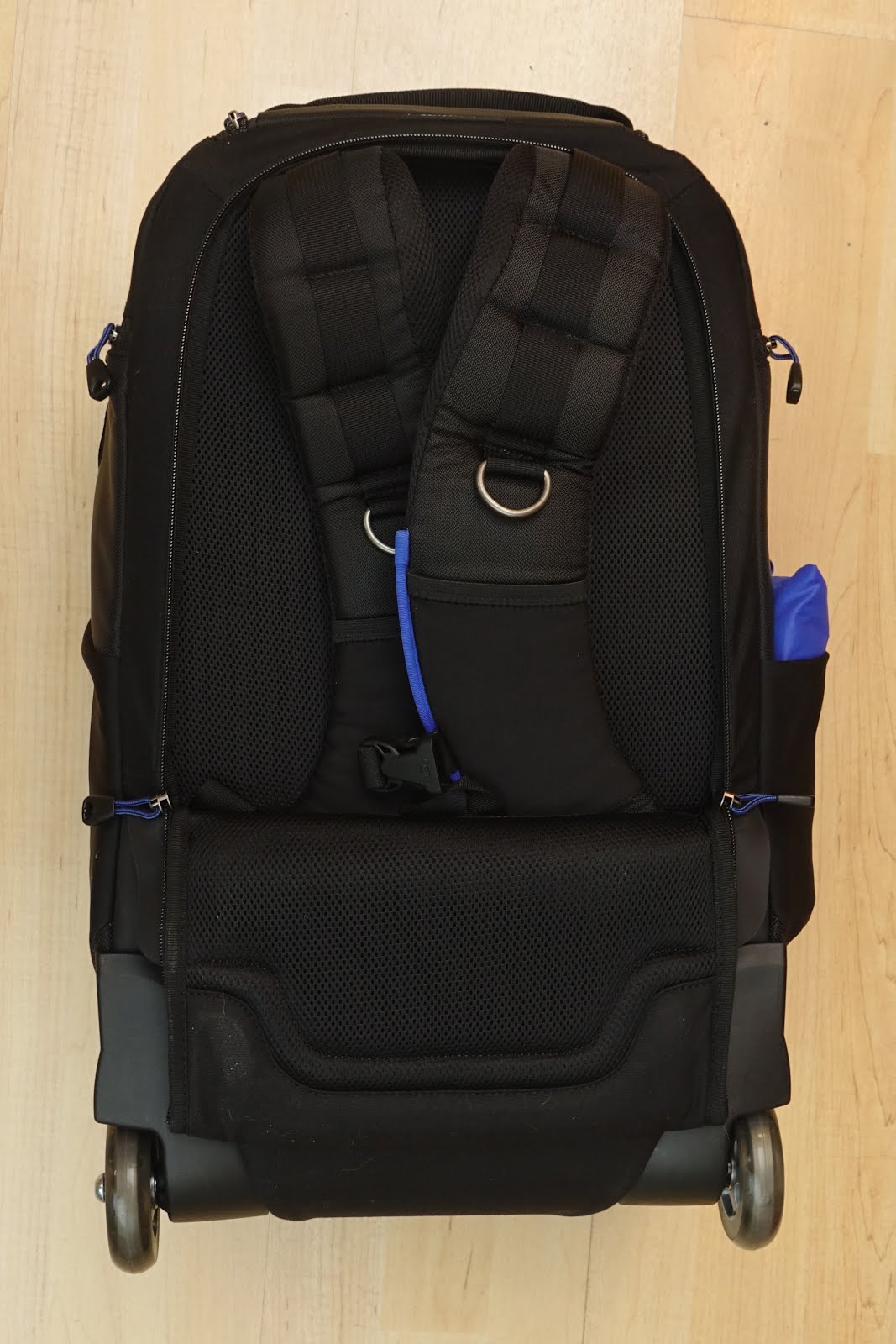
The Streetwalker Rolling Backpack v2.0 gives you the option of using it as just a roller bag, or as a backpack, or as a roller bag with the backpack straps tucked in the bottom for fast access.

Compared to the Airport Security v.0, the Streetwalker Rolling Backpack is a lot more comfortable on your back since there is much more padding.
Compared to the Streetwalker Hard Drive v2.0, the layout of the inside of the backpack is pretty much the same.
(Streetwalker Harddrive v2.0 on left, Streetwalker Rolling Backpack v2.0 on right)
On the Rolling Backpack, the laptop section has been moved to the inside of the front flap:
Since the backpack incorporates a telescoping handle, the sides and bottom are slightly deeper than the middle portion of the bag. Below you can see the bag with and without the dividers.


The bag is almost deep enough for a Sony 70-200 f4 G lens to fit standing up (Streetwalker Harddrive v2.0 on left, Rolling Backpack on right).


The bag is more than deep enough for a gripped body (Sony A7rii with battery grip and Spiderholster plate attached)
The upper section of the bag is shallower, so a gripped body might stick out a bit, which would put pressure on the hotshoe.
I usually get around this by turning the camera over on the side.
It holds the same amount of gear as the Streetwalker Harddrive:
The addition of the handle and wheels to the Streetwalker backpack does add more weight. The Streetwalker Harddrive v2.0 is 4.5lbs while the Streetwalker Rolling Backpack v2.0 is 8.2lbs, so that is a tradeoff you will have to consider.
Both of these bags were used on several wedding assignments and both bags were very comfortable to wear and securely held our gear just as well as the Streetwalker Harddrive v1.
We did notice when using the rolling backpack, that we tended to use it more as a rolling bag instead of as a backpack, mainly due to the added weight of the handle and wheels.
When traveling interisland, we really liked the fact that the narrower profile of the rolling backpack (as opposed to the Airport Security v2.0 ) made it much easier when rolling it through the aisle of the plane.
If you are looking for a solid camera backpack that's comfortable and not overly huge, the
Streetwalker Harddrive v2.0 is a great backpack for you to consider. If you already have v1 of this bag however, there aren't that many changes/improvements that would warrant upgrading to the v2.0
The
Streetwalker Rolling Backpack v2.0 is a nice addition to the Streetwalker lineup, but the added weight means you probably will want to use it mainly as a roller instead of a backpack, especially if you have a lot of gear.
As always, if you purchase any of Think Tank Photo's products by using the links on this site, a small portion of the sale will go toward helping us continue reviewing products for our readers. Mahalo!